|
Kerberos Authentication
2014/08/25 |
|
Enable Kerberos Authentication to limit access on specific web pages. Users can authenticate via Windows Active Directory.
Therefore it's necessarry to be running Windows Active Directory in your LAN.
|
|||||||||
| [1] | |||||||||
| [2] | For example, set Kerberos Auth under the [/var/www/html/auth-kerberos] directory. |
|
[root@www ~]#
yum -y install mod_auth_kerb
[root@www ~]#
vi /etc/krb5.conf # line 7: change to Realm name default_realm = SRV.WORLD
# add follows under [realms] section [realms]
 SRV.WORLD = {
  kdc = fd3s.srv.world
  admin_server = fd3s.srv.world
 }
# add follows under [domain_realm] section [domain_realm] .srv.world = SRV.WORLD srv.world = SRV.WORLD # create keytab : HTTP/[AD's hostname or IP address]@[Realm name] [root@www ~]# echo "HTTP/fd3s.srv.world@SRV.WORLD" > /etc/httpd/conf.d/krb5.keytab
[root@www ~]#
vi /etc/httpd/conf.d/auth_kerb.conf # add to the end
<Directory /var/www/html/auth-kerberos>
    SSLRequireSSL
    AuthType Kerberos
    AuthName "Kerberos Authntication"
    KrbAuthRealms SRV.WORLD
    Krb5Keytab /etc/httpd/conf.d/krb5.keytab
    KrbMethodNegotiate Off
    KrbSaveCredentials Off
    KrbVerifyKDC Off
    Require valid-user
</Directory>
# create a test page
[root@www ~]#
mkdir /var/www/html/auth-kerberos [root@www ~]# vi /var/www/html/auth-kerberos/index.html <html> <body> <div style="width: 100%; font-size: 40px; font-weight: bold; text-align: center;"> Test Page for Kerberos Auth </div> </body> </html> /etc/rc.d/init.d/httpd restart Stopping httpd: [ OK ] Starting httpd: [ OK ] |
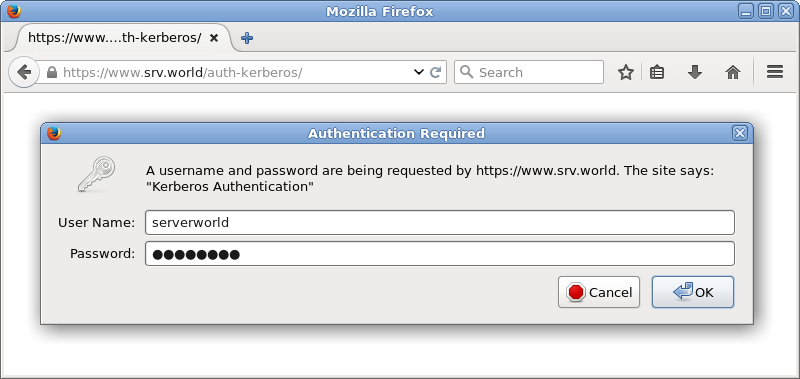
| [3] | Access to the test page with a Web browser on Client and authenticate with a user which is on Active Directory. |
|
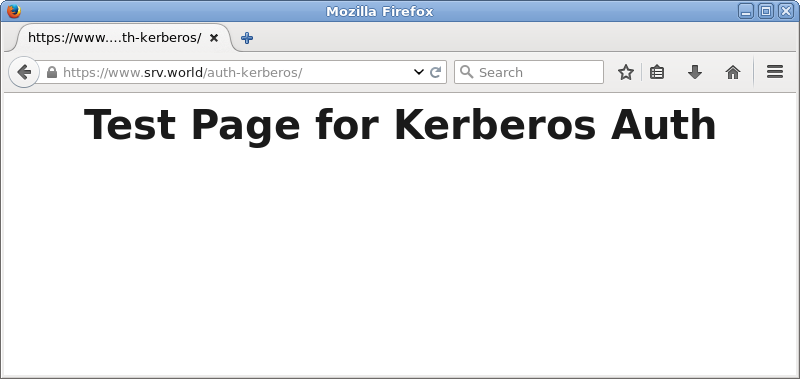
| [4] | Just accessed. |
|